WORKOUT LIBRARY
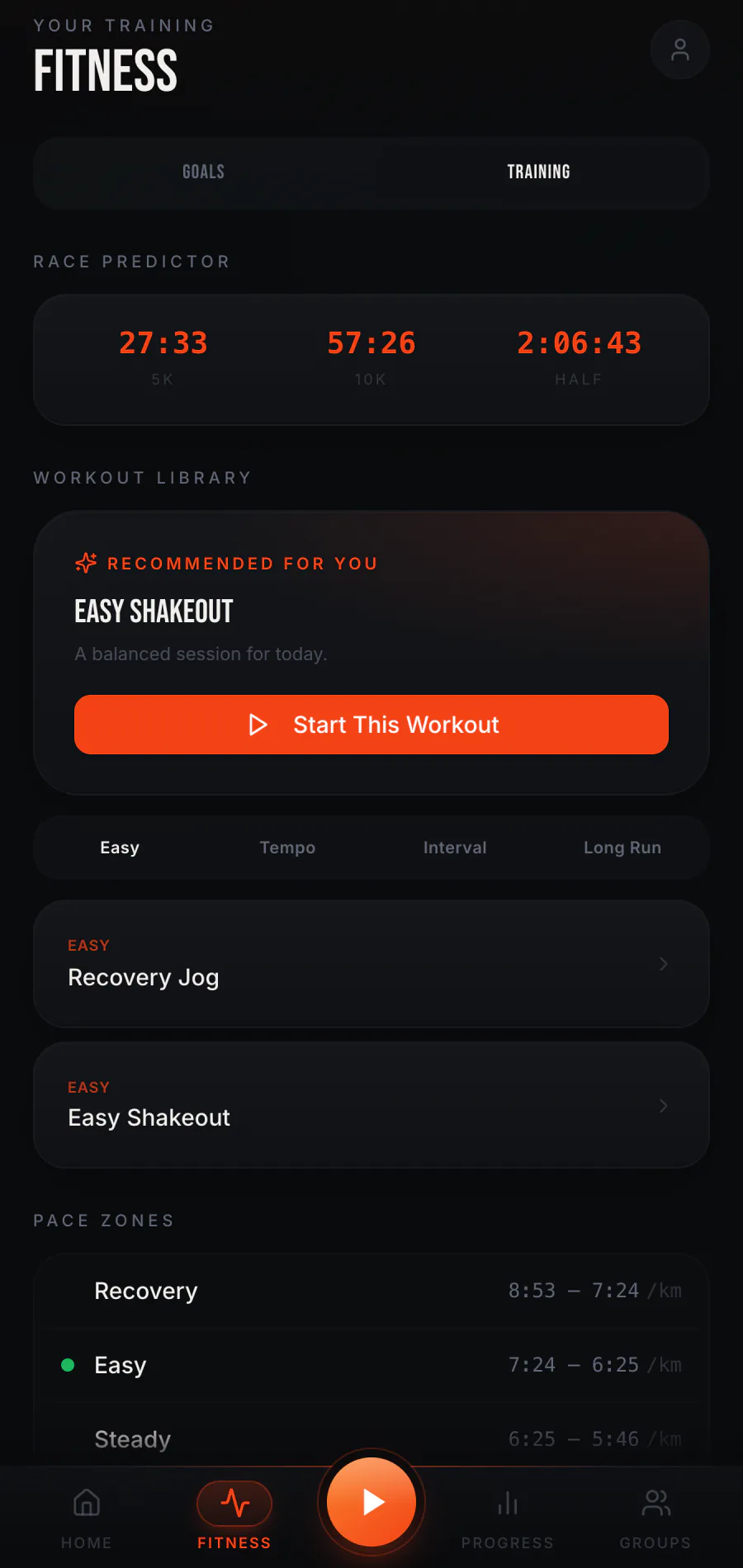
Browse easy, tempo, interval, and long-run options, then open a workout in run setup.
RUN WITH INTENT / FITNESS
Choose what you want to work toward, then find a run that fits the day. The Fitness area brings goals, weekly missions, and training tools into one place.
Read the fitness guide ↗GOALS / THE NEXT STEP
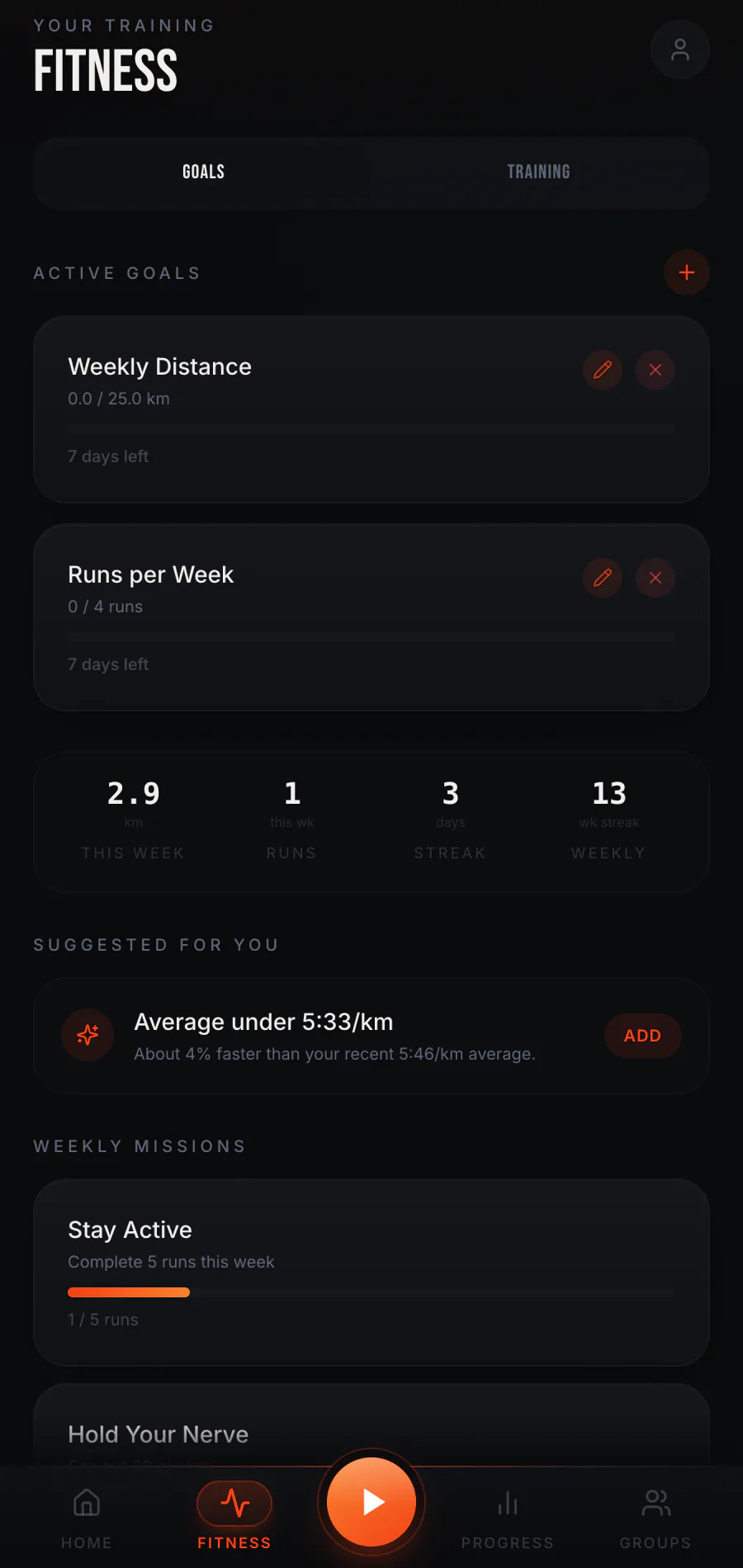
Set a running goal and follow its progress as you record sessions. The Goals tab shows active goals and a view of this week's running, including distance, runs, and streaks. Suggested goals and weekly missions offer another way to choose a next step.
A Just Run session belongs here too. The fitness record is based on runs you complete, whether or not a dinosaur chase happens.
 01 / FITNESS GOALS
TRAINING / RUN CHOICES
Browse easy, tempo, interval, and long-run options, then open a workout in run setup.
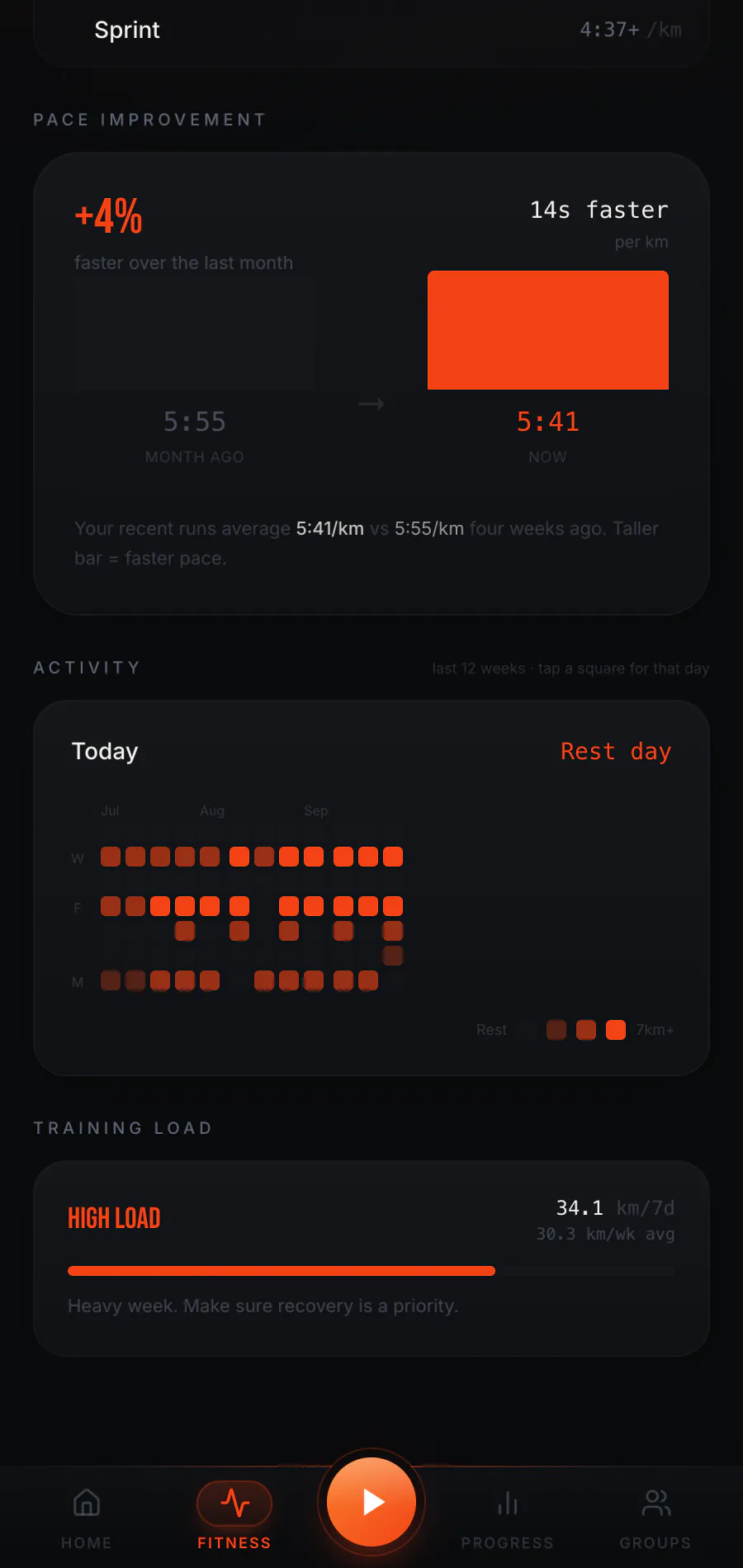
Review training load, pace zones, recent activity, and an activity calendar as your run history grows.
See estimated race times when enough usable run data is available. These are estimates, not promises.
 02 / WORKOUT LIBRARY
 03 / TRAINING LOAD
FIND YOUR RHYTHM
The app gives you choices; your own circumstances determine the effort. Start with a goal or select a workout, and change your approach when the day calls for it.
Get early access