Start with the run summary
After a session, the run summary shows the route, time, distance, pace, and any chase outcomes recorded in that run. It answers a simple question: what happened today? If the GPS signal or conditions were unusual, keep that context in mind before comparing this result with another day.
Look across weeks
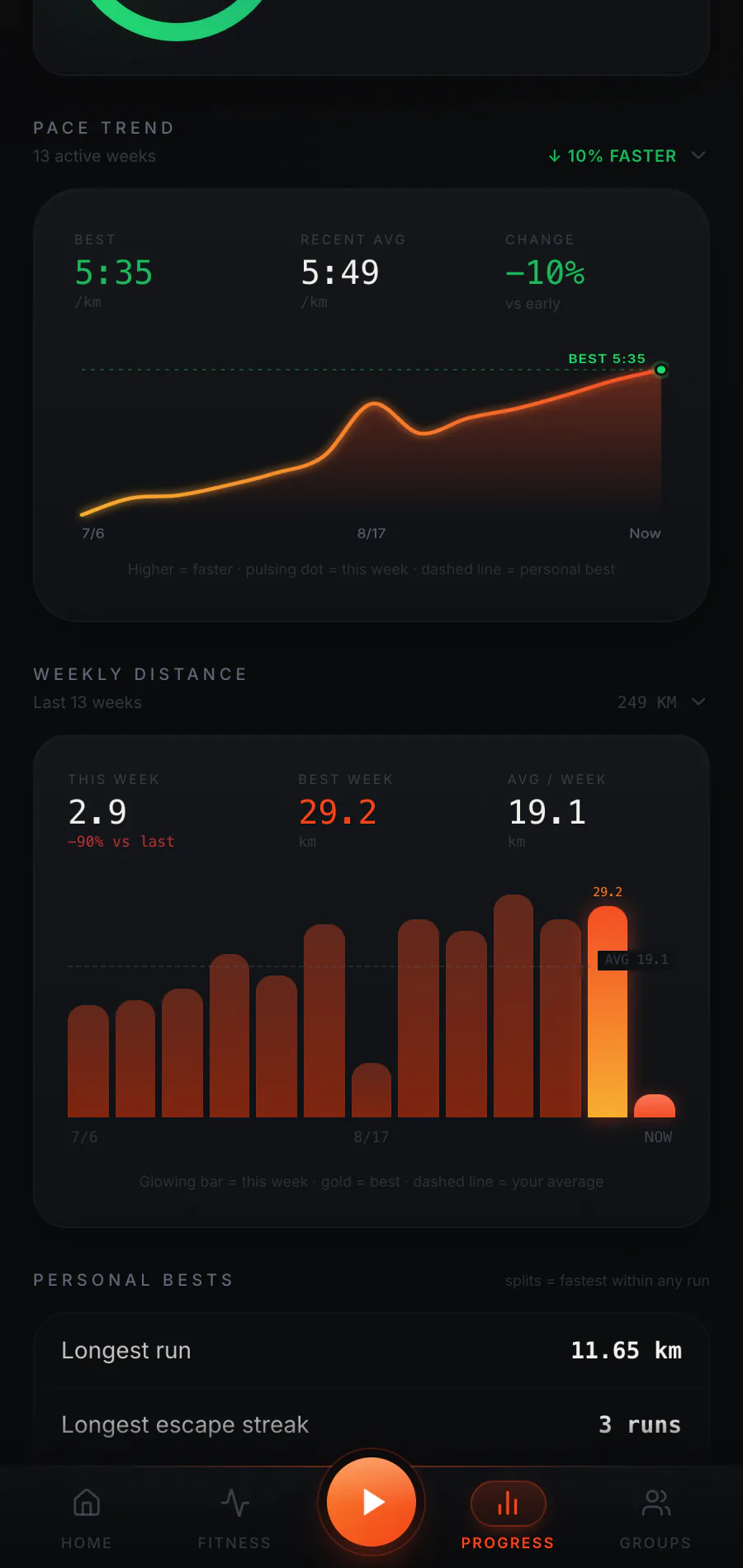
The Progress area includes a pace trend and weekly-distance view. These can show a pattern that one session cannot: whether you have been running more often, covering more ground, or seeing a change in pace across recent weeks. A faster line is not always the goal. Easy runs, different routes, weather, and recovery days can all change the numbers.
Find personal markers
Personal bests and the distance journey highlight recorded achievements. The app also offers week, month, and year reviews so you can place a recent effort in a wider period. These views become more informative as your saved run history grows. Someone with only a first run should expect a smaller picture, not a fully populated trend.
Follow the medal ladder
Your XP also tells a longer game story. The ladder contains 18 medal ranks: Bronze, Silver, Gold, Platinum, Obsidian, and Apex, with I, II, and III inside every tier. Completed runs award 50 XP plus 10 XP for each full kilometre. Escapes add 20 XP each, a chase run with no catches adds a 75 XP flawless bonus, and one-time achievement rewards add more. Each catch removes 10 XP from that run's award, which can never fall below zero. The app shows your current medal and progress toward the next one.
Include the dinosaur story
The combat record shows chase outcomes alongside ordinary running data. An escape can be a satisfying moment, but it is one result within a whole run. You can run without chases in Just Run mode and still add distance, pace, and XP to your history. That keeps the record useful on days when you want a straightforward outing.
Decide what comes next
Use what you see as context for a choice, not as an automatic instruction to push harder. A trend might prompt a fresh goal, a different workout, or simply another comfortable run. Explore the app's Fitness tools for goals and workouts, or read how pace becomes progress for the shorter overview. The app gallery now shows real screens with simulated demo data clearly identified.
Explore the full Raptor Run experience.
How the app works